 DropLink
DropLink
Share files with a link
DropLink is a file sharing app for iPhone, Android, Mac and Windows. Send photos, videos and documents by link or QR code. Recipients download in their browser, without an app or account.
Keep DropLink open and your sending device online until the download finishes.
What is DropLink?
Files stay on your sending device. On the same Wi-Fi, supported transfers go directly over the local network. Across networks, a relay forwards the transfer without storing the files. Keep the sender online until downloading finishes.
How to share files with DropLink
No accounts, no cloud uploads to wait for. Just pick, share, and they download.
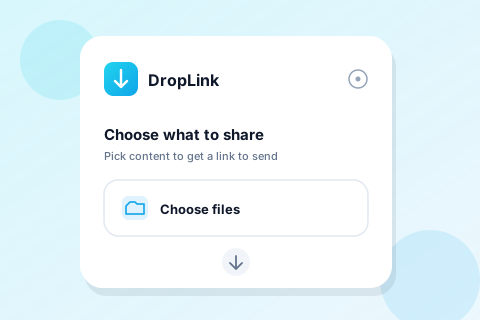
Pick files
Choose photos, videos, documents, apps or text from your phone.
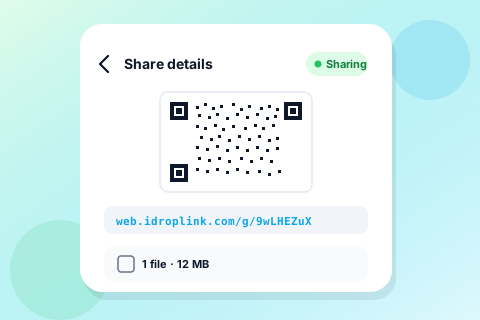
Share the link
Send the link to whoever you want to receive the files.
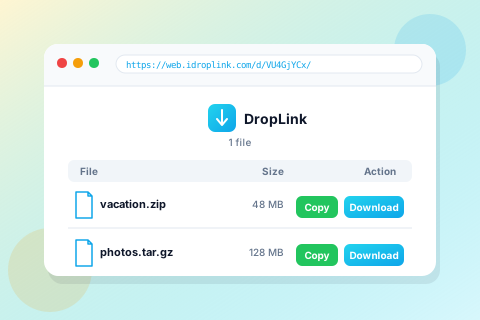
They download
They tap the link, their browser downloads the files. DropLink stays out of their device.
Why use DropLink for file sharing?
Fast on your local network, reliable across the internet, private by design.
Zero-install receiving
The receiver only needs a browser - perfect for sending to anyone.
Local-network turbo
On the same Wi-Fi, files go device-to-device at full speed.
Works across networks
Files stay on your sending device. On the same Wi-Fi, supported transfers go directly over the local network. Across networks, a relay forwards the transfer without storing the files. Keep the sender online until downloading finishes.
Random link, auto-expiring
The sharing link stops working when the sharing session ends. If a download is interrupted, whether it can resume depends on the browser or download tool and the sender remaining available.
Anything you like
Photos, videos, documents, APKs, or a quick snippet of text.
Speaks your language
Localized in 8 languages, with English as a friendly fallback.
DropLink questions, answered
Does the recipient need to install DropLink?
No. Only the sender needs the DropLink app. The recipient opens the shared link or scans the QR code and downloads using a browser.
Does DropLink store my files in the cloud?
Files stay on your sending device. On the same Wi-Fi, supported transfers go directly over the local network. Across networks, a relay forwards the transfer without storing the files. Keep the sender online until downloading finishes.
What happens when I stop sharing?
The sharing link stops working when the sharing session ends. If a download is interrupted, whether it can resume depends on the browser or download tool and the sender remaining available.
Explore DropLink
Set up your first transfer or compare how DropLink fits your devices.